App Shell Module
← App map · MainActivity, the splash-to-theme handoff, and the Navigator that gives each bottom-nav tab its own back stack.
Screenshots scroll sideways · tap to enlarge
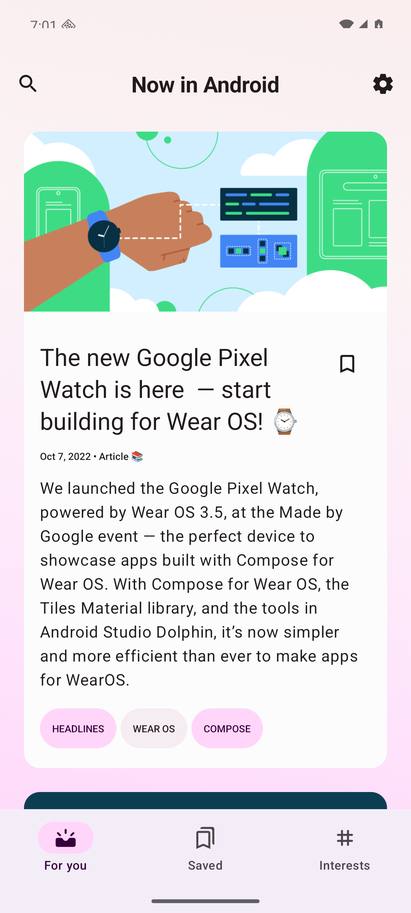 The bottom bar's three tabs, each with its own back stack
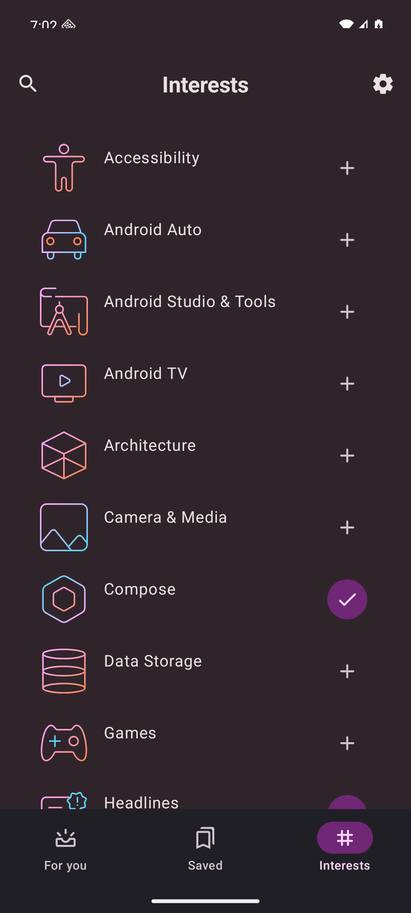 Dark theme, picked in Settings
What it does
MainActivity installs the splash screen before super.onCreate, and keeps it up (setKeepOnScreenCondition) until MainActivityViewModel.uiState leaves Loading for Success — the first userData emission decides the real theme (brand, dark mode, dynamic color) before a single themed pixel is drawn, and that themeSettings is then tracked as its own mutableStateOf so a system dark-mode change recomposes independently of the view-model. NiaApp builds three bottom-nav items — For You, Bookmarks, Interests — each with its own back stack (NavigationState.subStacks); tapping a different tab only ever switches which sub-stack NavDisplay shows, tapping the current tab again clears that tab's stack back to its root, and Search/Topic/Settings push onto whichever tab's stack was active when they opened. A tab's icon gets a small notification dot while it has unread news (topLevelNavKeysWithUnreadResources, recomputed from both the For You feed and the bookmarks list). On a wide screen, Interests and Topic render side by side instead of one pushing over the other (ListDetailSceneStrategy).
Logic class diagram
Navigator is the only thing that mutates NavigationState; everything else only reads it.
- ──▷ holds
- ◇── list of
- ┄┄▷ uses
… state machine
MainActivityUiState only moves one way — the splash screen is the visible proxy for Loading.
NiaNavigationSuiteScaffold picks bottom nav, rail or drawer for the window size; NavDisplay renders whichever tab's current entry that leaves on screen.
Switch tabs, then reopen the current one sequence
Three different taps on the same bottom bar, three different Navigator branches.
Key files
app/.../MainActivity.kt · splash hold, theme resolution, setContentapp/.../MainActivityViewModel.kt · MainActivityUiStateapp/.../ui/NiaApp.kt · nav suite scaffold, top app bar, NavDisplayapp/.../ui/NiaAppState.kt · offline state, unread-tab trackingapp/.../navigation/TopLevelNavItem.kt · the 3 bottom-nav itemscore/navigation/.../Navigator.kt · navigate()/goBack() branchingcore/navigation/.../NavigationState.kt · the per-tab back stacks