Screenshots scroll sideways · tap to enlarge
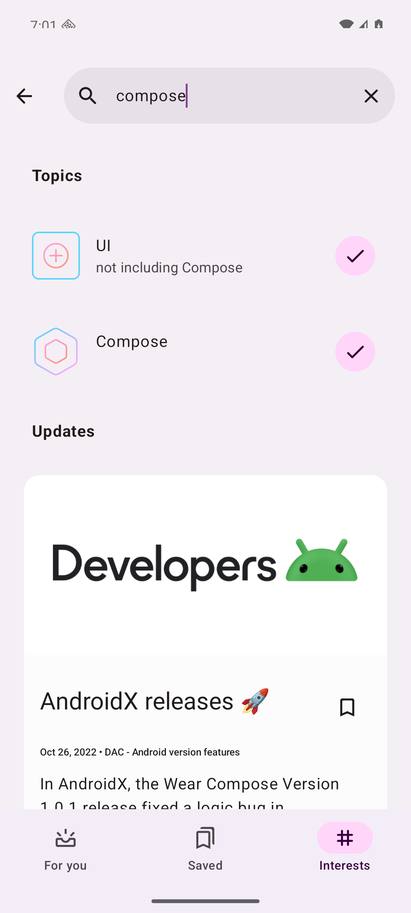 Results as you type: matching topics, then articles
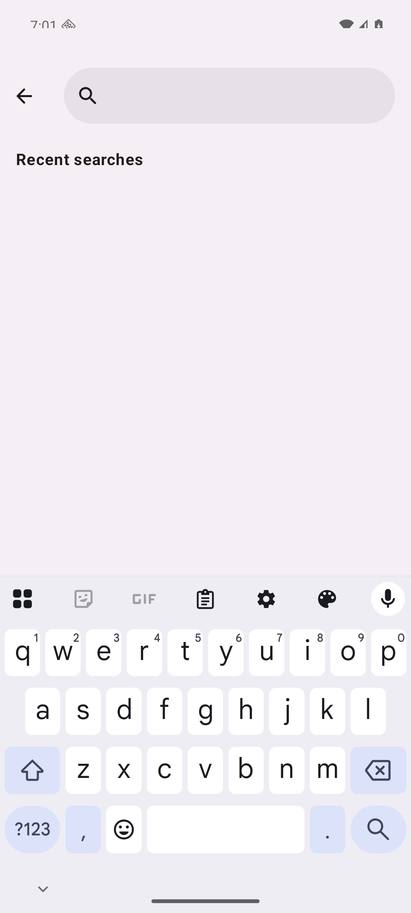 Search opens with the keyboard up and recent searches
What it does
Opened from the search icon in the top app bar (navigator.navigate(SearchNavKey)), not a bottom tab. The result state is gated two ways before a query ever runs a search: SearchNotReady while the full-text-search table hasn't been populated yet (fewer than 1 indexed item), then EmptyQuery while the typed query is under 2 characters — only past both does typing actually search topics and news live, one FullTextSearch query per keystroke via GetSearchContentsUseCase. A separate RecentSearchQueriesUiState lists up to the most recent searches as tappable chips while the query box is otherwise empty; explicitly triggering a search (the IME's search action, not just typing) saves it to that list, and a trash icon clears the whole history.
Logic class diagram
Two sibling states again, like Topic's header/news split — here it's the live results against the recent-query history.
… state machine
SearchResultUiState only ever reaches Success/LoadFailed once the FTS table is populated *and* the query clears the 2-character minimum.
Recent-search chips show only while there's no live result to display yet.
- ◆── contains
- ──▷ reads model
Type a query, then search it sequence
Key files
feature/search/impl/.../SearchScreen.kt · search box, recent chips, resultsfeature/search/impl/.../SearchViewModel.kt · query state, SearchResultUiStatefeature/search/impl/.../SearchResultUiState.kt · the result state machinefeature/search/impl/.../RecentSearchQueriesUiState.kt · recent-search chip statefeature/search/impl/.../navigation/SearchEntryProvider.kt · wires the nav key to the screenfeature/search/api/.../navigation/SearchNavKey.kt · the nav key, opened from the top app bar