Screenshots scroll sideways · tap to enlarge
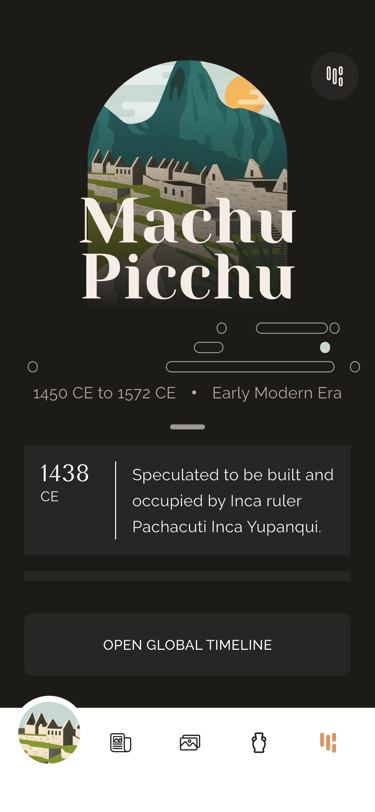 Events over the wonder and mini timeline
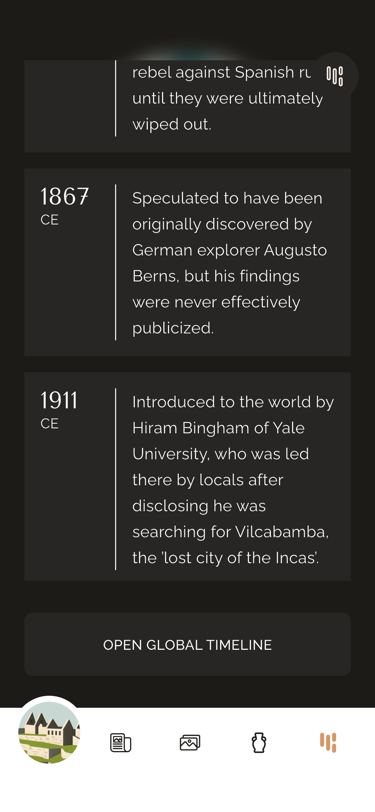 Later events
What it does
Each wonder carries 6 events (WonderData.events, year → text). They appear as dark cards that fade in over 900 ms and slide up with a small overshoot, 100 ms apart. In portrait the list scrolls over the top 55 % of the screen (at least 200 px), which shows the wonder’s flattened image, its title, a mini timeline of all 8 wonders on 3 non-overlapping tracks with this one filled in, and its dates and era; the background blurs and darkens (up to 60 %) between 50 and 350 px of scroll. On wide screens — aspect ratio over 0.85 on phones, so foldables count, or over 1 elsewhere — the image and list sit side by side, and the scroll offset carries over when the layout switches. The third hidden collectible waits at the end of the list. “Open global timeline” (button and header icon) goes to …/timeline?type=.
Logic class diagram
A read-only view over WonderData: the only state is the scroll offset, kept so the two layouts can hand it to each other.
- ──▷ holds
- ◇── list of
- ┄┄▷ uses
- ──▷| extends
Portrait stacks the list over the image-with-timeline; landscape puts them in a row.
- ◆── contains
- ──▷ reads model
- ┄┄▷ builds
Read the events and open the global timeline sequence
Scrolling only changes blur and remembers the offset; the button hands over to the timeline route.
Key files
lib/ui/screens/wonder_events/wonder_events.dart · one or two columnslib/ui/screens/wonder_events/widgets/_events_list.dart · cards, blur on scrolllib/ui/screens/wonder_events/widgets/_wonder_image_with_timeline.dart · image, mini timeline, eralib/ui/common/wonders_timeline_builder.dart · wonders on 3 trackslib/ui/common/timeline_event_card.dart · year + text card