Home Module
← App map · A looping, parallax carousel of the eight wonders; swipe sideways to browse, swipe up to step into one.
Screenshots scroll sideways · tap to enlarge
 The Great Wall in the looping carousel
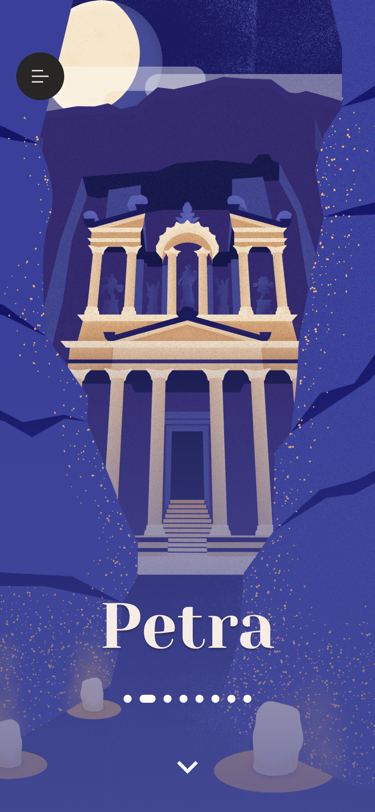 Swiped to Petra: new colors and illustration
What it does
Each wonder is drawn in three layers — a background (sky colour, texture, sun or moon), a middle illustration in a PageView, and foreground pieces at the edges — plus clouds seeded per wonder that drift in over 1.5 s. The carousel starts at page 8 × 100 + the last wonder viewed (saved as prevWonderIndex), so it loops both ways; changing wonder gives a light haptic and each layer animates its pieces in or out over 450 ms. Pulling up 150 px opens the wonder: while you drag, every piece scales by its own zoomAmt × the pull (× 0.4 for the foreground, × 0.05 for the middle) and the bottom gradient darkens; letting go early springs back over half a second per full pull. Opening goes to /home/wonder/?t=0 with a fade while the foreground is frozen in place, and on return the foreground fades back in after 300 ms. The arrow button and a trackpad scroll up open it too; the 8 px page dots and desktop arrow keys jump between wonders. The menu button opens HomeMenu as a 200 ms fade dialog and jumps to whichever wonder is picked there.
Logic class diagram
The screen state owns an infinite PageController and a small swipe controller; both just feed numbers into the shared illustration widgets.
- ──▷ holds
- ◇── list of
- ┄┄▷ uses
- ──▷| extends
A Stack of four layers — 8 backgrounds, the middle PageView, 8 foregrounds, floating UI — where only the selected wonder’s layers are showing.
- ◆── contains
- ──▷ reads model
- ┄┄▷ builds
Pick a wonder and swipe up into it sequence
Sideways paging is a plain PageView; the upward pull is a hand-rolled gesture that ends in a route change.
Key files
lib/ui/screens/home/wonders_home_screen.dart · carousel and layer stacklib/ui/screens/home/_vertical_swipe_controller.dart · swipe-up gesturelib/ui/wonder_illustrations/ · eight layered illustrationslib/ui/wonder_illustrations/common/wonder_illustration_builder.dart · bg/mg/fg layer animationlib/ui/wonder_illustrations/common/illustration_piece.dart · one positioned image piecelib/ui/wonder_illustrations/common/animated_clouds.dart · seeded drifting cloudslib/logic/wonders_logic.dart · the 8 WonderDatalib/logic/data/wonders_data/ · per-wonder text and numbers